

Recent Articles

1) First of all go to your bloggr dashboard click on layout and then click on add gadget


1) Go to your blogger dashboardclick on new post and then click on HTML

1) First of all go to your blogger dashboard click on layout and then add gadget
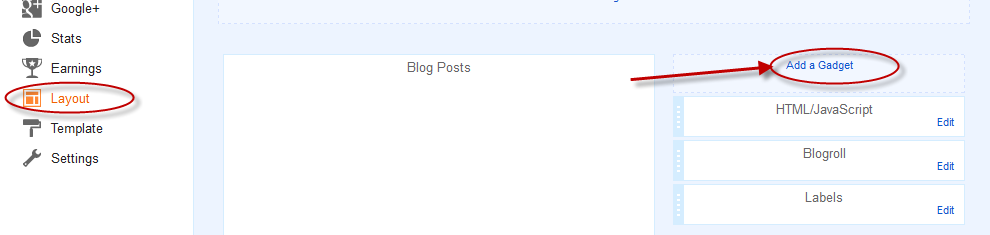

1) first of all go to your blogger dashboard click on layout and then click on add gadget
<style type=”text/css”>

1) First of go to your blogger dashboard click on template and then edit html

3) copy the codes given below and paste these codes just before it </body>
<script src=’http://bloggerblogwidgets.googlecode.com/files/way2blogging.org-tripleflap.js’ type=’text/javascript’>

1) First of all go to your blogger dashboard click on template and then edit html
<b:include data='feedLinks' name='feedLinksBody'/>
Now we will learn you how to put to the Twitter fan box on your blog

1) First of all go to your blogger dashboard click on template and then add gadget
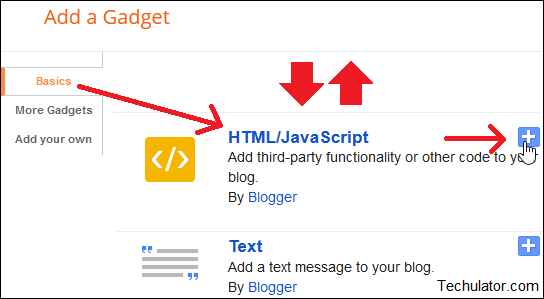
2) choose html/javascript gadget and paste the codes given below in html/javascript window
This is one of cool trick for blogger to create a smooth scroll to top. If you have lot of content on you blog pages, and if you want to make your blog to be easy to navigate for your readers, a back to top button will make it easy and perfect.and also see this post it is important stylish back to top button
 1) Go to your dashboard click on template and then edit html
Today we will learn you how to add facebook like box to blogger blog with a distinctive view, wonderful and attractive format, where the facebook like box is hidden on the right side of the screen and shows only the passage of the cursor on it. and it increase the like of your facebook page. to add this widget to your blog,follow these two simple steps
 1) First of all go to your blogger dashboard click on template and then click on edit html
we are write article with hard efforts and thieves very easily get copy of our articles.
Exclusive content is usually under the eyes of thieves, who steal these posts and articles without permission or even the source said, so I've written this post to stop this process. if anyone will doing copy of your article did not get the adsense approval
 1) Go to your blogger dashboard click on template and then click on edit html
Exclusive content is usually under the eyes of thieves, who steal these posts and articles without permission or even the source said, so I've written this post to stop this process. if anyone will doing copy of your article did not get the adsense approval

<head><b:include data='blog' name='all-head-content'/>

Google
Subscribe to:
Posts (Atom)


